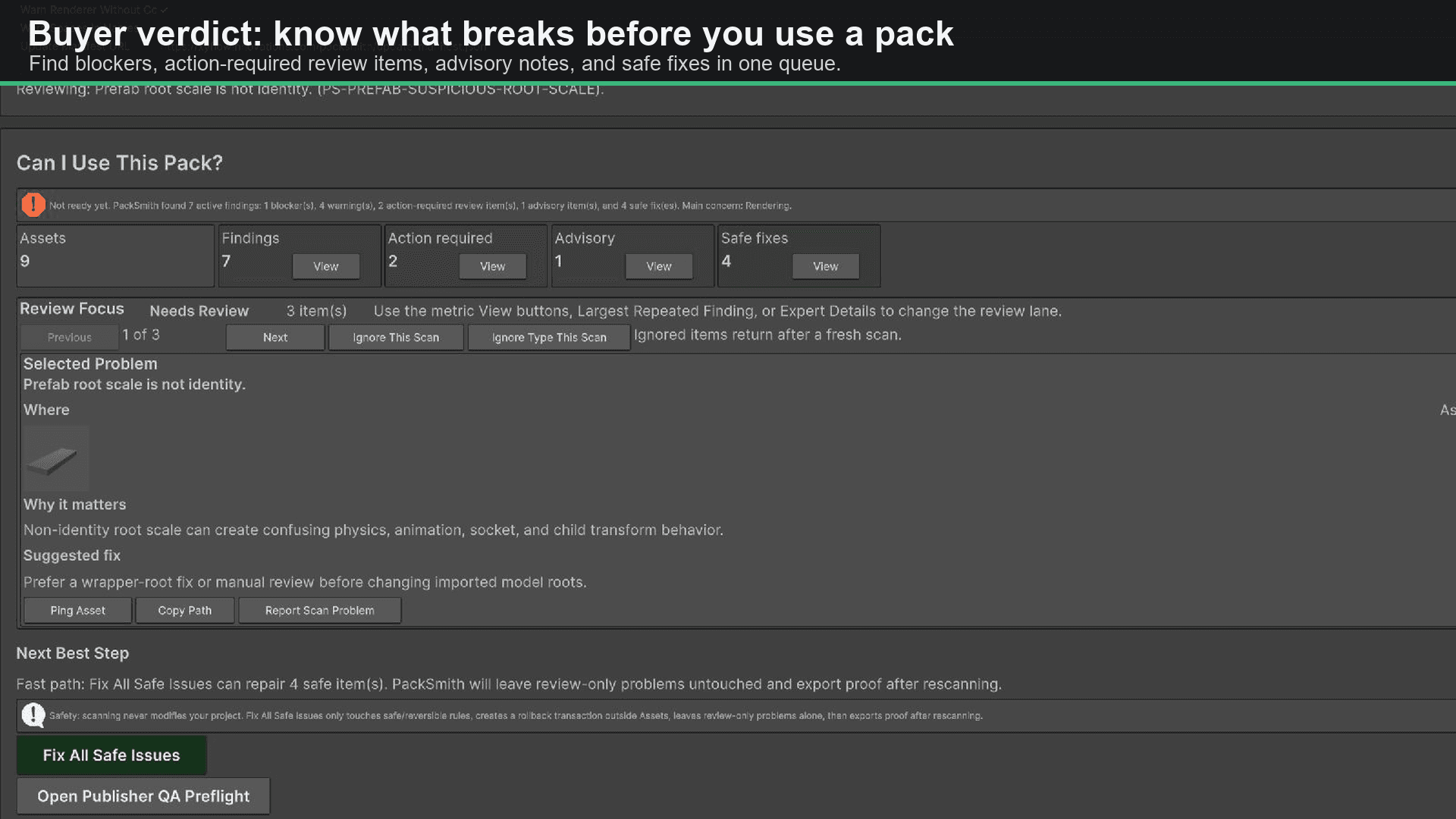
Buyer verdict
See whether the pack is usable, what blocks it, and where to start—without reading a wall of raw rule IDs.
Live on the Unity Asset Store
Scan imported Unity asset packs, get a direct use/fix/review verdict, apply reversible safe fixes, and export proof. PackSmith is read-only by default and built for developers who want a fast answer without surrendering control.
Read-only scans
No surprise edits
Reversible fixes
Backup, rescan, proof
Editor-only
No runtime overhead
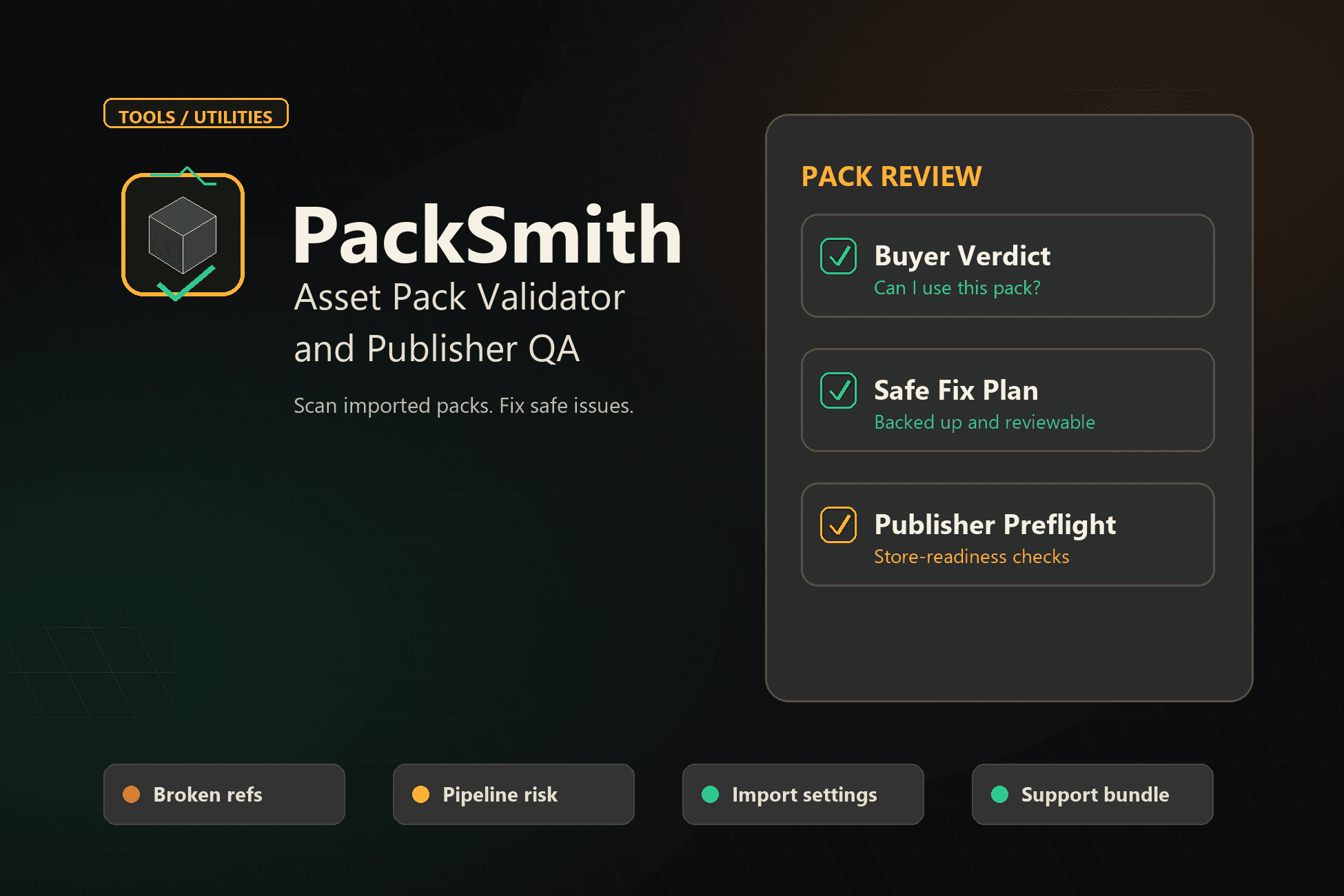
The first question PackSmith answers
“Can I trust this pack in my project?”
The outcome
PackSmith compresses asset-pack QA into one reviewable flow: scan, understand, fix what is genuinely safe, and keep evidence.
Get a direct buyer verdict: blockers, review items, advisory notes, and safe fixes.
Catch missing references, material and shader risks, collider gaps, texture mistakes, risky files, and setup gaps.
Apply only deterministic safe fixes after PackSmith creates a rollback transaction outside Assets.
Export scan reports, fix plans, proof, Publisher QA, and support bundles for a durable handoff.
Product proof
The screenshots below show the buyer verdict, the safety layer around fixes, and the optional publisher workflow.
Buyer verdict
See whether the pack is usable, what blocks it, and where to start—without reading a wall of raw rule IDs.
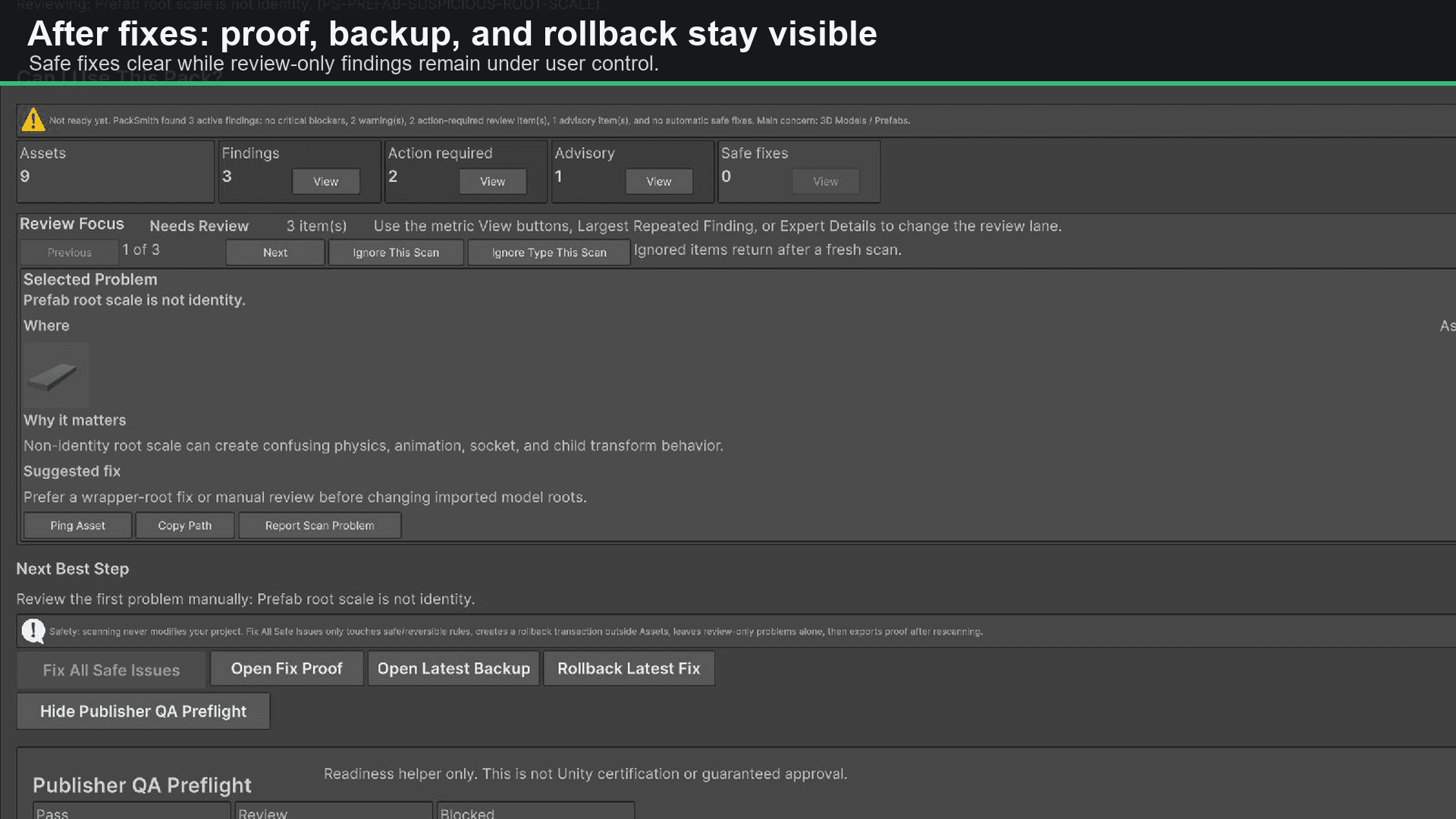
Safe-fix proof
Every safe-fix run stays explicit, backed up, rescanned, and reviewable—with one-click rollback available.
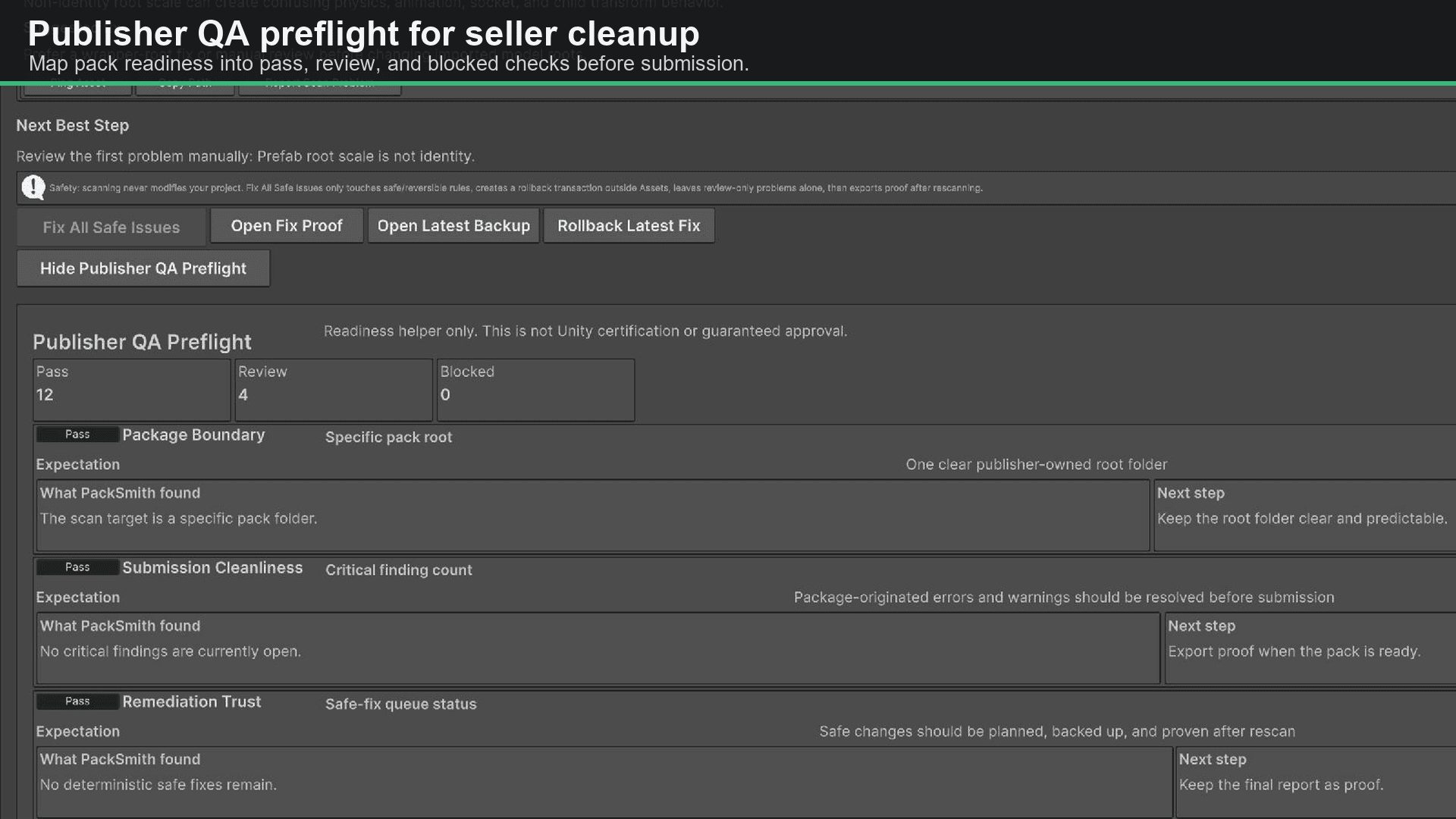
Publisher QA preflight
Check documentation, dependencies, compatibility disclosure, sample content, hygiene, and other store-readiness risks.
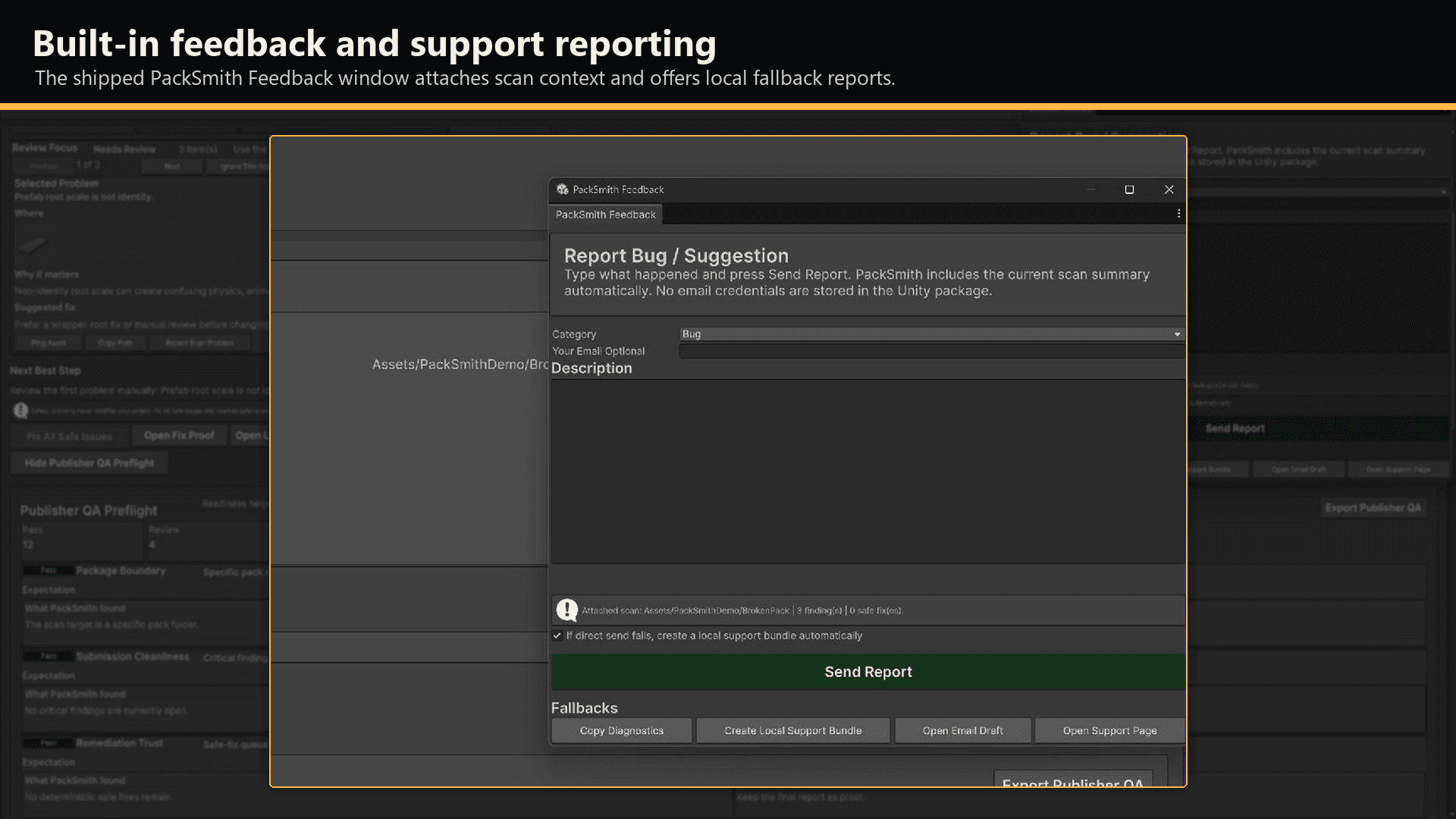
Feedback with context
Report unclear findings or bugs from the editor with the scan context needed to reproduce and fix them.
For asset-pack buyers and teams
Use PackSmith after importing art, prefab, environment, prop, character, texture, audio, VFX, or mixed-content packs. Review broken references, pipeline risks, unsafe settings, and missing setup context in one place.
For Unity Asset Store publishers
Run publisher-facing preflight checks for documentation, dependencies, compatibility disclosure, samples, package hygiene, third-party notices, and other store-readiness risks. Publisher QA is a readiness helper, not Unity certification.
Workflow
PackSmith keeps the beginner path short while preserving evidence and manual control for experienced teams.
Import or select an asset pack.
Scan without modifying the project.
Review the verdict and evidence.
Apply reversible safe fixes if useful.
Export proof or publisher preflight.
Questions before buying
No. Scans are read-only. Fixes run only after explicit confirmation, and review-only findings are never changed automatically.
PackSmith shows the safe-fix queue and creates a rollback transaction outside the Assets folder. It then rescans and exports proof of what changed.
No. The primary workflow is for any developer importing third-party packs. Publisher QA is an additional preflight for creators preparing packs for release.
No. PackSmith is a local, deterministic Unity Editor utility. It does not require a cloud AI service and does not send customer project assets to one.
Ready to inspect the next pack?
One editor utility for buyer verdicts, reversible safe fixes, proof exports, and optional Publisher QA preflight.
Documentation
Read support resourcesFound a bug?
Send a PackSmith reportNeed help?
Email PackSmith supportPackSmith support
For roles, collaborations, PackSmith support, Unity asset questions, or practical AI workflow work, email directly.